



Rollambia Gaming App
Rollambia offers a mobile app for Android and iOS because many players prefer to keep everything on their phone. The idea is simple: quick access, the same core features as on desktop, and an interface that makes sense on a smaller screen. The game library adapts to modern devices, so you don’t have to deal with awkward scaling or hard-to-tap buttons.


Rollambia in Your Pocket
With the Rollambia app, you can play without being tied to a computer. A phone and a stable internet connection are usually enough. The app gives you access to 6,000+ games across different categories, and most titles run smoothly on both Android and iOS.
You can also handle everyday account actions directly from mobile:
- browse games and switch between categories quickly,
- use the cashier for deposits and withdrawals,
- check promotions and tournaments,
- manage your account settings.
Your activity syncs across devices. If you log into the same Rollambia account on desktop and mobile, the platform keeps your profile and progress consistent, so you can switch between devices without starting from scratch.
If something doesn’t work as expected, support remains available 24/7. You can contact the team from inside the app via live chat or email.
Rollambia Casino Android Application
Android users can always open Rollambia through any mobile browser, but the app option makes access more direct. Rollambia uses a progressive web app (PWA) approach, which means you install it from the official site without dealing with unknown APK files or extra downloads from third-party sources.
The Android app works on most modern devices and is built for touch controls. You can play games, use bonuses, enter tournaments, and manage payments from the same interface.
| Step | Details |
| Visit our official website. | We recommend you download the app only from the official website to avoid fraud. |
| Click the “Casino App” button in the footer. | It is located at the very end of the homepage. The installation will start automatically and take no longer than a few minutes. |
| The Rollambia Casino icon is on your home screen. | Now you can log in or create a new account and start enjoying the play. |
Rollambia App for iOS
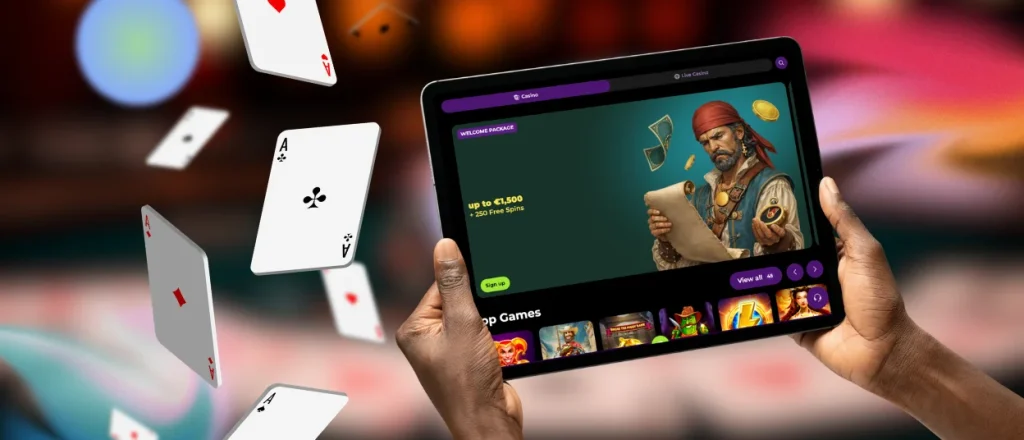
If you use an iPhone or iPad, you can still install Rollambia, but the process looks a bit different. App Store rules often limit direct casino app distribution, so Rollambia provides access through the PWA version on its website. The platform tests it regularly to keep it stable across iOS updates.
The iOS version covers the same basics as the desktop: games, promotions, tournaments, payments, and account actions. You can also register and complete verification steps right from your mobile when required.
| Step | Details |
| Open the “Shortcut” app. | The app should be automatically installed on your device. |
| Click the “+” icon to create a new shortcut. | The icon is in the top right corner of the homepage |
| Tap “Add Action.” | Now, you should search for the Rollambia website you want to create a shortcut for. |
| Click the button next to the shortcut name and select “Add to Home Screen.” | The button is in the form of a down arrow. |
| Tap “Add.” | Before doing it, you can change the name of the icon if you want. |
Desktop Apps for Windows and macOS
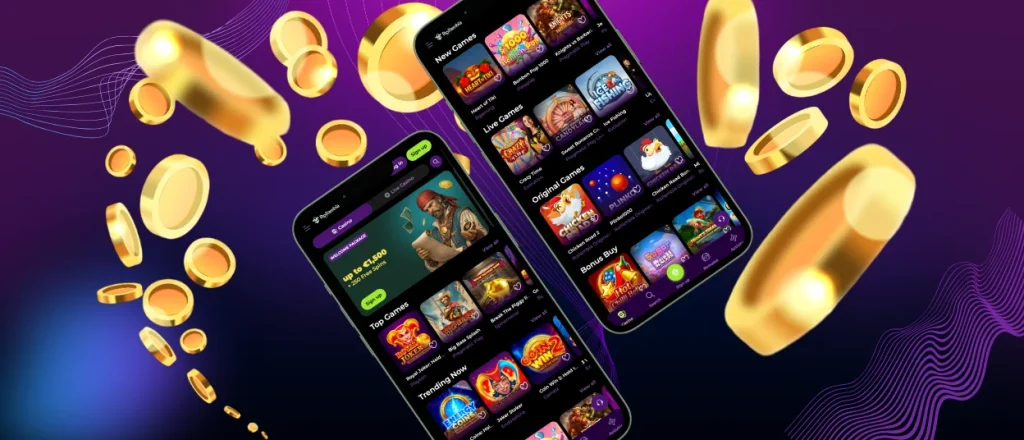
Some players still prefer a larger screen at home, and that’s fair — it’s easier to follow details, especially in live games. You can always use Rollambia in any modern browser.
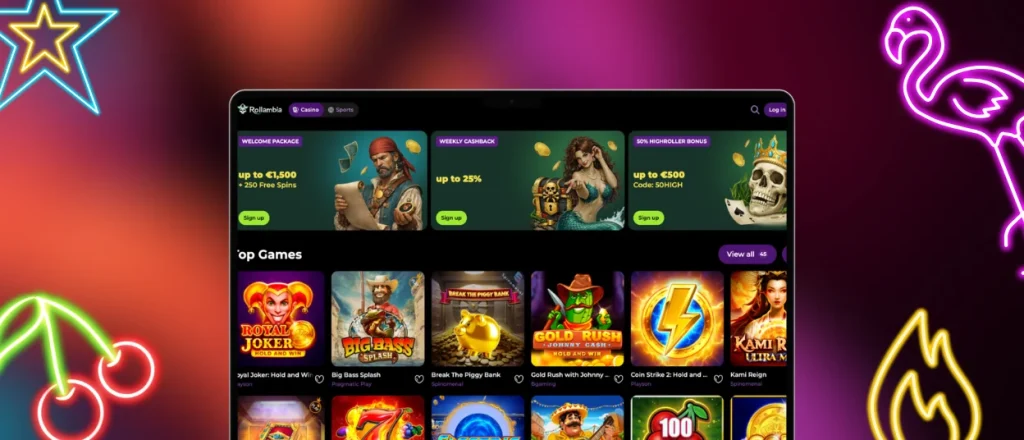
For those who want a more “app-style” setup on a computer, Rollambia also offers desktop versions for Windows and macOS. These usually open faster than a browser tab and can send push notifications about updates or account activity, depending on your settings. The feature set stays the same — it just comes in a more dedicated format.
FAQ
Does the Rollambia app include customer support?
Yes. You can reach support through live chat in the app, and email is available if you need to explain something in detail.
Do I need an account to use the app?
You can browse some parts without registering, but you need an account to use full features like deposits and real-money play.
Are All Games Available in the App?
The mobile version includes the full catalog (6,000+ games), including slots, table games, and live dealer titles. The interface adapts to phones and tablets.
How do updates work?
Most updates happen automatically, especially for the PWA version. If the platform rolls out a major change, Rollambia may prompt you to refresh or reinstall from the official website.


